PressReader Is for Puzzlers!
UPDATE - Jan 8: We're thrilled to share that as of today, PressReader Android app users can now access daily interactive puzzles! If you don't see it, try updating your PressReader app.
*****
If you already love using PressReader to access nearly 10,000 national and international newspapers and magazines, here’s a fun surprise: it’s also packed with interactive puzzles to play online and plenty of print-friendly puzzle pages to enjoy offline. And, since January is Alzheimer's Awareness Month, there’s no better time to give your mind a daily workout with these free, brain-challenging puzzles—available anytime with your BPL card.
New to PressReader digital resource? Read our short article on how to sign in and access PressReader through Burlington Public Library.
Puzzles You Can Play Online
Once you have signed into PressReader through the library using your BPL card number, you'll find 10 interactive puzzle types to play directly on your desktop or within the latest PressReader iPhone app. At this time, the most recent PressReader Android app (released in December 2025) does not yet offer interactive puzzles within the app itself, but they're working on it, so stay tuned!
The 10 puzzles you can play online are Codeword, Concise Crosswords, Cryptic Crossword, Make Tracks, Nought and Crosses, Pathfinder, Sudoku (3 difficulty levels), and Wordsearch.
Every puzzle offers how to play "Rules," where you can customize your experience by toggling playing options on or off. You can also ask for "Hints" and "Check" your puzzle for any mistakes as you work on it. And you can even ramp up the challenge by using a timer! The default timer setting is on, so you need to switch it off or pause it if you don't want to race against the clock.
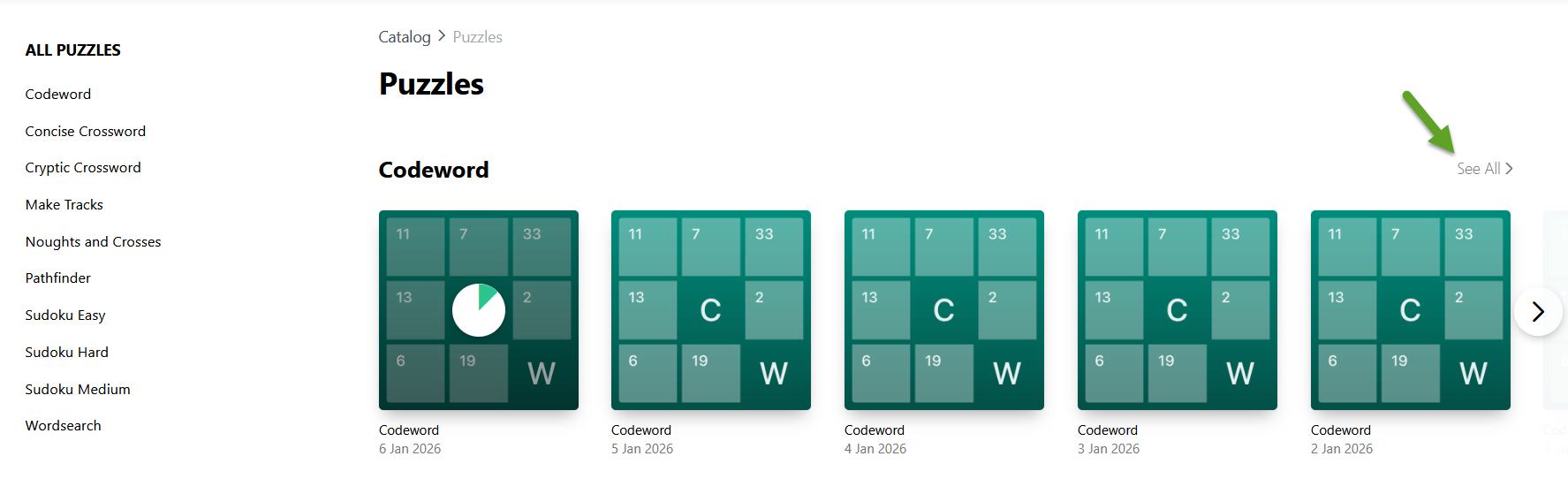
Along with each daily interactive puzzle, desktop users can also access a huge archive for each puzzle type. So far, only daily puzzles are available when using the PressReader iPhone app. To view a puzzle archive on your desktop, scroll to the Puzzles section on the PressReader main page, and click on the Puzzles header to reveal the section side menu. Then, select See All to access the archive for the desired puzzle type. You'll find daily puzzles as far back as May 2025.
Puzzles You Can Print Out
PressReader offers many online publications that include puzzles you can print out and complete the traditional paper-and-pencil way.
How to Find Printable Puzzles
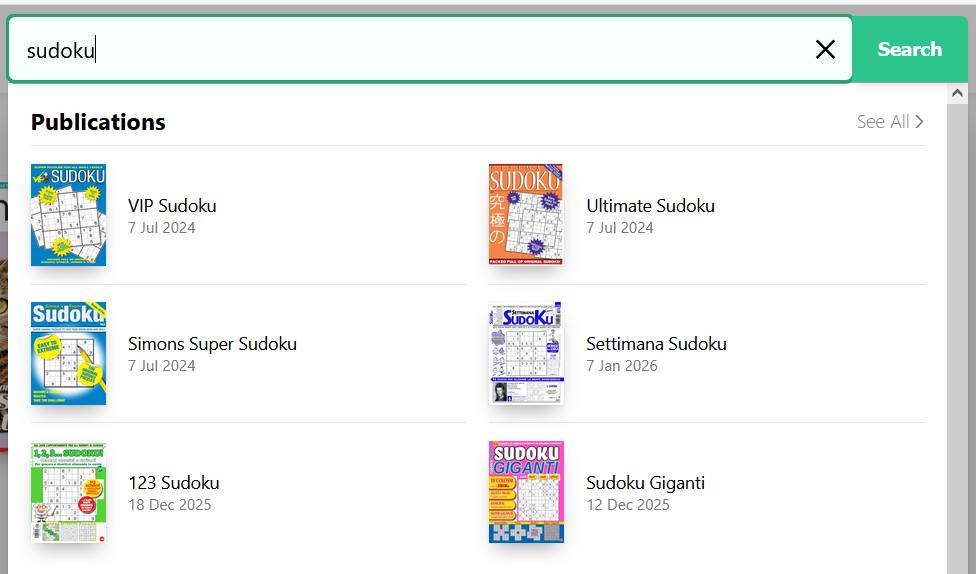
Use the top search menu to find publications with puzzles. For example, if you are looking for Sudoku puzzles, type "sudoku" in the search box. Make sure to select See All to get the most search results. Hint: Also, click on the search 'Suggestions' to find what else PressReader has related to your search. You may discover even more puzzles!
How to Print a Puzzle in PressReader
When you find a puzzle you'd like to do, you can print, share, or save it to your PressReader collection. Printing is only available through the PressReader website, not the mobile app.
There are a few ways to print out a puzzle. Here is one way, using The Sunday Telegraph – Puzzles as an example.
Taking It Step-by-Step
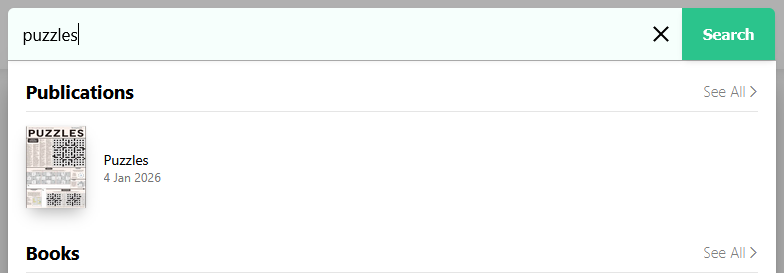
- Type "puzzles" in the PressReader search box, and click on Puzzles in the 'Publications' search result. You will see the latest section of The Sunday Telegraph - Puzzles.
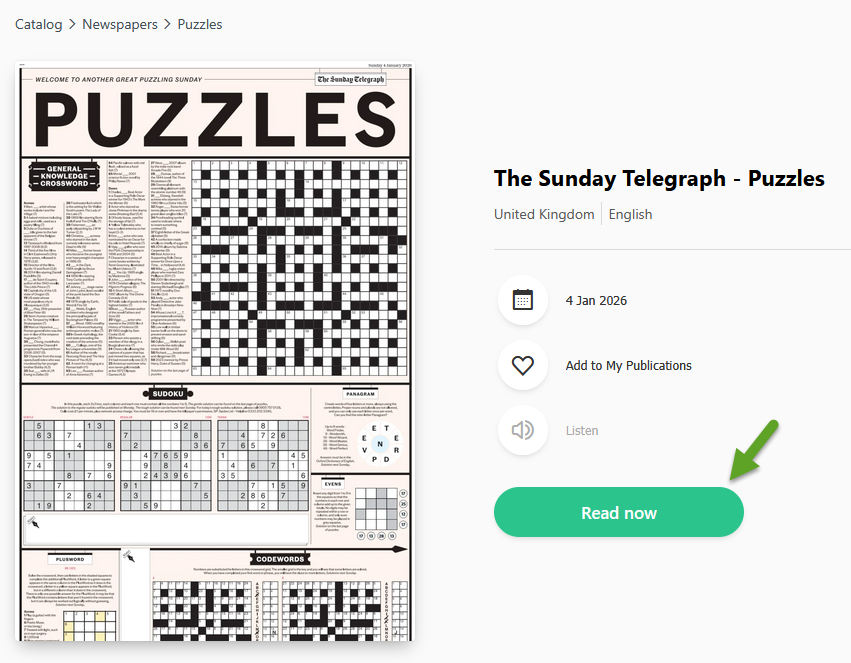
- Click on the Read now button of the current issue, or scroll down to see past issues. As of this article, PressReader includes all weekly Puzzle sections from October 16, 2022, through to the current issue.
- Make sure you are on the page with the puzzle you want to print. To do this, click on the three black dots that appear at the bottom of the screen when you move your mouse over each page.

- In the pop-up window, select the page you want to print and click on the 'Print' icon.

- Select either Print Custom Area or Print Page. For the largest puzzle printout, we recommend choosing Print Custom Area. If using Print Custom Area, a green box appears. You can then set the print area by dragging the green box or using the green circles to customize it.
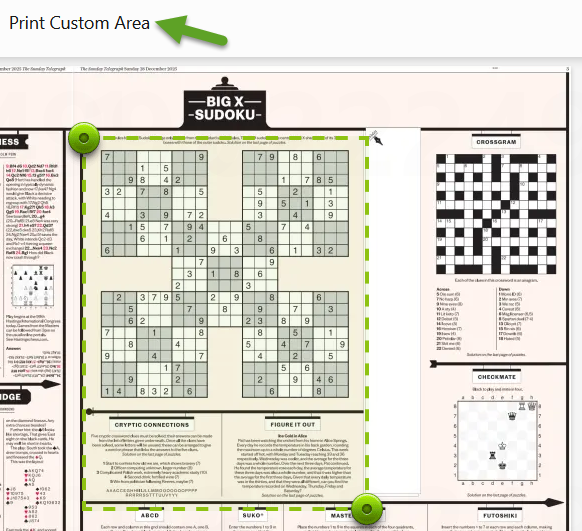
- Once you have set the print area, click the green print button in the top-right corner of your screen. In the Print pop-up window, you'll see a preview of the print area. To print the largest puzzle possible, select Scale to Fit Paper Size.
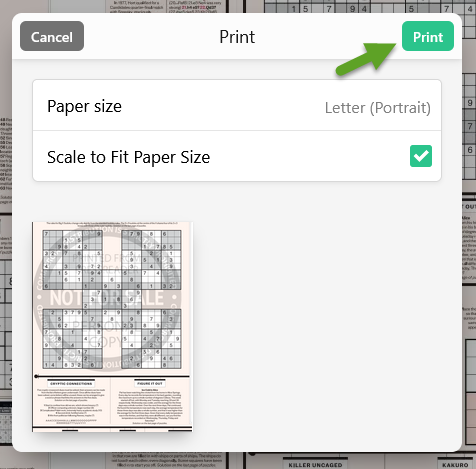
- Your printer's settings window will open, where you can further customize how you want the puzzle to print, such as the number of copies or paper orientation. Select Print once you are happy with the settings. If you need to make changes, select Cancel.
Where to Find PressReader
Select RESOURCES on BPL’s website main menu to find PressReader under Magazines & Newspapers. Connect directly to the online resource or select More Info to read how to access PressReader on your laptop or device with the PressReader app.