Outsmart Scams & Online Spooks
Scammers are always looking for ways to access your money, accounts, or personal information. They may contact you by email, text message, phone call, or even through a QR code. Learning to recognize common warning signs can help you protect yourself and make confident decisions online.
We asked our tech librarian, Sarah-Ann, to share some of her top tips for spotting scams and staying safe in an increasingly complex digital world.
4 Common Warning Signs of a Scam
Scams can take many forms, but they often share some telltale signs. Here are four red flags to watch for.
1. A Sense of Urgency
Scammers may tell you that you need to act immediately to avoid a fine, protect your account, or claim a prize. This pressure is designed to make you act without checking whether the request is legitimate.
Tips
- Be cautious of messages that demand immediate action.
- Take time to verify unexpected requests.
- Remember that you can pause, ask questions, and seek advice before responding.
2. Impersonation
Scammers often pretend to be someone you trust, such as your bank, a government organization, a delivery company, a family member—or even your public library! They may use familiar names, logos, and professional-looking messages to appear legitimate.
Tips
- Look closely at the sender’s email address or phone number.
- Be cautious of unfamiliar links and attachments.
- If you are unsure, contact the organization directly using a phone number or website you know is legitimate—not the contact information provided in the suspicious message.
- If a message claiming to be from BPL doesn’t seem right, contact us directly. Your privacy matters to us, and we take protecting your personal information seriously.
3. Unusual Payment Requests
A request for payment can be a major warning sign, especially when the sender insists you pay in an unusual way. Scammers may demand gift cards, cryptocurrency, or wire transfers.
They may also send fake invoices, tickets, fines, or other documents to make the request appear official.
Tips
- Be suspicious of unexpected payment demands.
- Never send money simply because someone is pressuring you.
- Verify bills, fines, and payment requests independently.
4. Requests to Verify Your Identity
Some scammers try to collect personal information by pretending they need to verify your identity or update their records. They may ask for your password, banking information, or other sensitive details.
Tips
- Do not share personal information with an unexpected caller or message sender.
- Avoid confirming personal details unless you have independently verified who you are speaking with.
- Remember that legitimate organizations will not need your password to verify your identity.
How Scams Reach You
Scams can arrive through many different channels. Be cautious of unexpected requests, regardless of how they reach you.
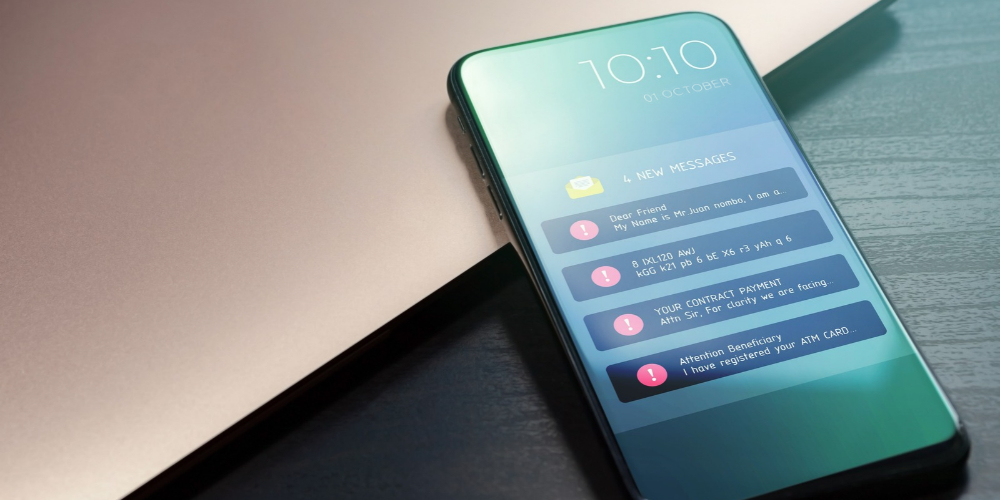
- Text messages: Fake delivery notices, account alerts, or prize notifications.
- Emails: Messages containing suspicious links, attachments, or payment requests.
- Phone calls: Someone pretending to be your bank, a government representative, or a family member.
- QR codes: Codes from unfamiliar sources that could direct you to fake websites designed to steal information or money.
Staying Scam-Savvy
Sarah-Ann recommends three practical steps that can help you take control of your online safety.
Pause Before Responding
Before clicking a link, opening an attachment, or replying to a message, take a moment to look carefully at what you have received.
Ask yourself:
- Do I recognize the sender?
- Was I expecting this message?
- Is the request unusual or urgent?
- Is it asking for money, personal information, or access to an account?
If something seems suspicious, contact the organization directly through a verified website or phone number.
Secure Your Accounts
Protect your online accounts with strong, unique passwords and enable two-factor authentication (2FA) whenever available.
Two-factor authentication adds an extra layer of security. In addition to your password, you may need to enter a code or approve a sign-in on another device.
Never Send Money Under Pressure
If someone is demanding payment immediately, take a step back. Talk to someone you trust, verify the request, and make sure you understand what you are paying for before sending money.
How the Library Can Help
You don’t have to navigate the digital world alone. At BPL, we’re here to help you build your digital skills, stay informed, and feel more confident using technology.
Programs such as Tech Connect and our tech talks with Chris Bint of Tech Coaches offer practical guidance, opportunities to ask questions, and support from knowledgeable staff.
Stay curious, stay cautious, and remember Sarah-Ann’s advice: when in doubt, pause, and check.